What makes a property deal pipeline useful?
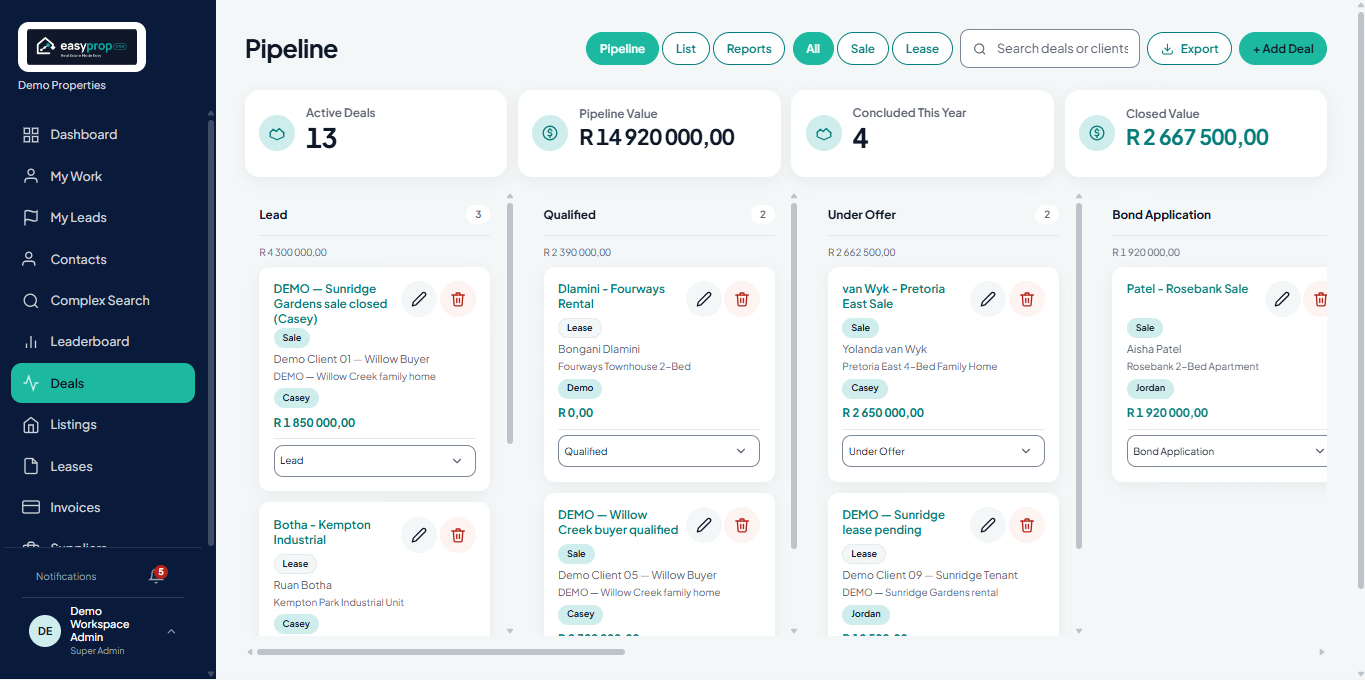
A useful pipeline is a working view of opportunities and unfinished decisions. It tells an agent which conversation or task comes next and helps a manager see where support is needed. A board full of colourful cards has limited value if the stages are vague or the records are not updated. Start by defining the decisions the team needs to make from the information on screen.
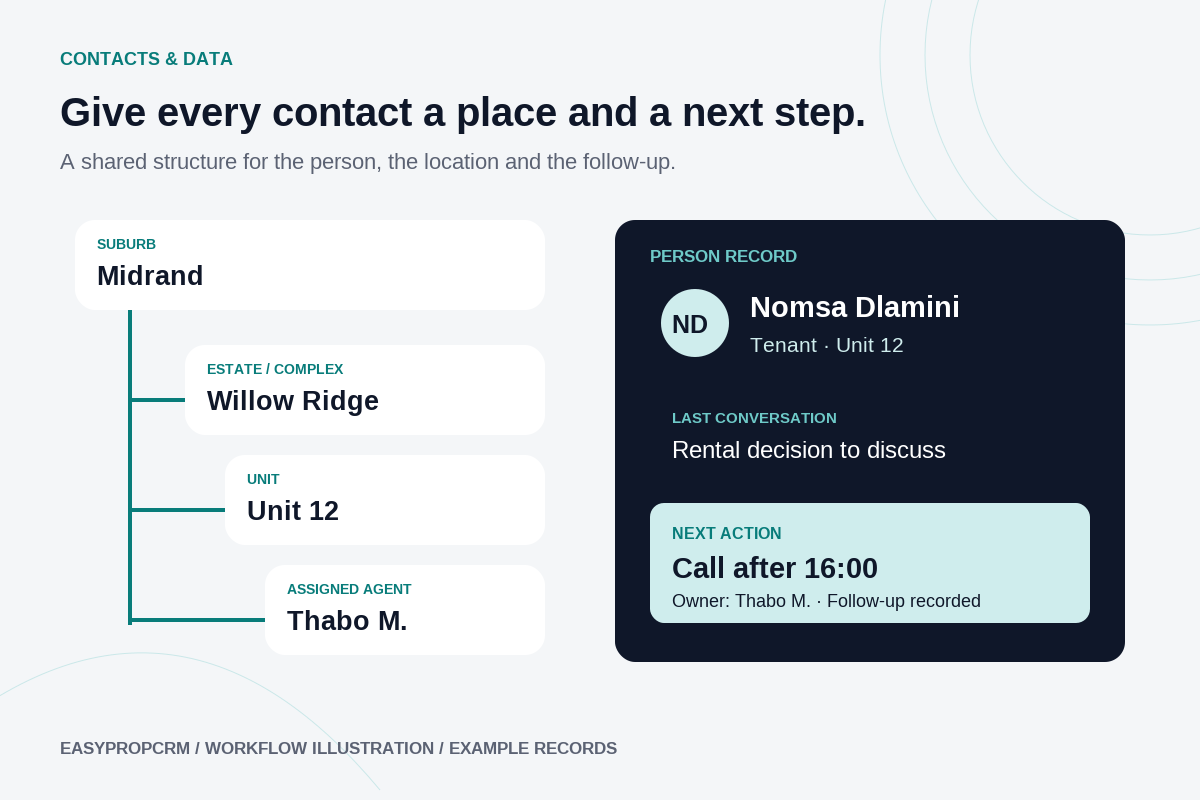
For each deal, someone should be able to identify the property context, relevant contact, current stage, responsible agent and next action. Add an expected date when it is meaningful, while distinguishing it from a confirmed date. The record should explain why the deal is in its current stage and what would justify moving it. That shared understanding matters more than the number of columns on the board.

Every handover starts with clear next steps.
Which details should every deal record contain?
Use a short title that makes the opportunity recognisable, such as a property reference and the type of work. Keep the contact and location context available so colleagues do not need to search separate spreadsheets to understand the card. Record the owner, last meaningful update, next action and target follow-up date. When an assumption affects the record, identify it instead of leaving another person to infer it.
Avoid turning a card title into the entire deal history. Use structured fields for information that needs filtering or reporting, and notes for decisions, questions and exceptions. Link or store supporting documents through the workflow your team uses. Before a colleague covers an absent agent, ask whether the record gives them enough information to continue the conversation without reconstructing the whole transaction.
- A recognisable deal name and property context.
- The relevant contact and responsible agent.
- A stage supported by a clear reason.
- A specific next action and planned follow-up date.
- Financial fields with an explicit meaning and current assumptions.
How should you choose sales pipeline stages?
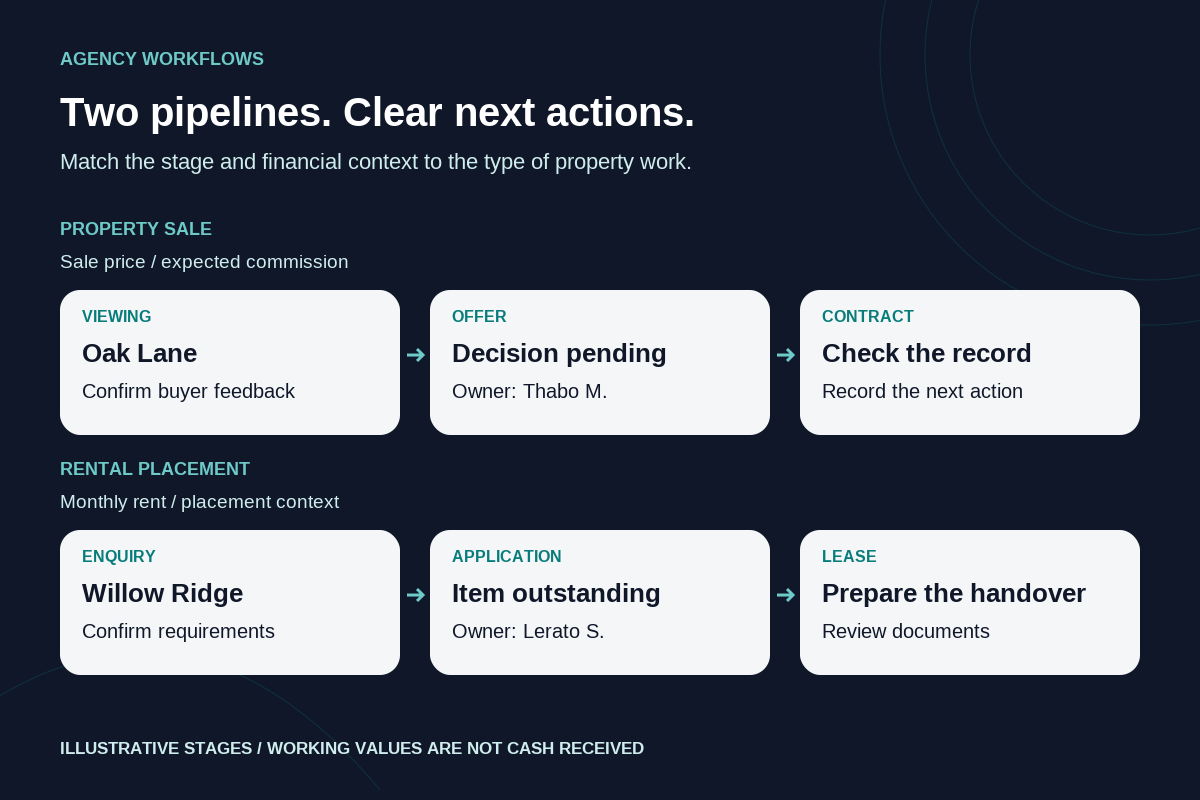
Choose stages that correspond to meaningful changes in the work, then write a short definition for each. An illustrative sales sequence might include enquiry, viewing, offer, contract and outcome. The exact names should match your agency’s process. Define the information needed before a deal moves forward, including which decision has been made and which supporting record should be available.
Keep activity and stage distinct. Calling a buyer twice is an activity; a confirmed offer may justify a stage change. If stages describe every small action, the board can become difficult to maintain. If they are too broad, important delays disappear inside a large category such as ‘in progress’. Start with a manageable set, review real deals with the team and adjust definitions where people interpret them differently.
Should rental and sales deals use the same pipeline?
They can share a discipline without sharing every stage or financial field. A rental placement may move through enquiry, viewing, application, agreement preparation and a recorded outcome. A sale follows a different sequence of decisions. Whether you use separate views or a clearly identified deal type, make the distinction visible enough that an agent cannot accidentally interpret a rental amount as a sale price.
Think about the questions each workflow must answer. A sales review may focus on an open offer and the next decision, while a rental placement review may focus on an application or the preparation of lease documents. Ongoing lease administration is another workflow again. Keep those responsibilities connected where useful, but avoid treating a successful placement as proof that every later lease task has been completed.
How should you show price, rent and commission?
Label values by what they represent. Sale price, monthly rent, expected commission and management fees are different measures. A single field called ‘value’ becomes misleading when the board mixes work types. Make it clear whether an amount is entered as a current working figure, calculated from stated assumptions or verified against the relevant agreement. Review those assumptions when the deal changes.
For a simple fictional sales estimate, a price of R1,500,000 multiplied by an illustrative 4% rate gives R60,000 before considering any other factors. That arithmetic does not establish a fee entitlement, tax treatment, allocation or payment date. Use the sales commission calculator to explore inputs and check the result against the agreement and agency process. An expected amount in an open pipeline should not be presented as money already received.
Check a working commission estimate, step by step
Open the sales commission calculator to reproduce the arithmetic in this article. These sample rates illustrate the controls; they are not recommended fees.
Open the commission calculatorReplace the sale price with 1500000
Click Sale price (R) and enter 1500000 without a currency symbol. At the tool’s initial example rate of 5%, the result becomes R75,000. Next, replace that rate with the percentage you want to test.
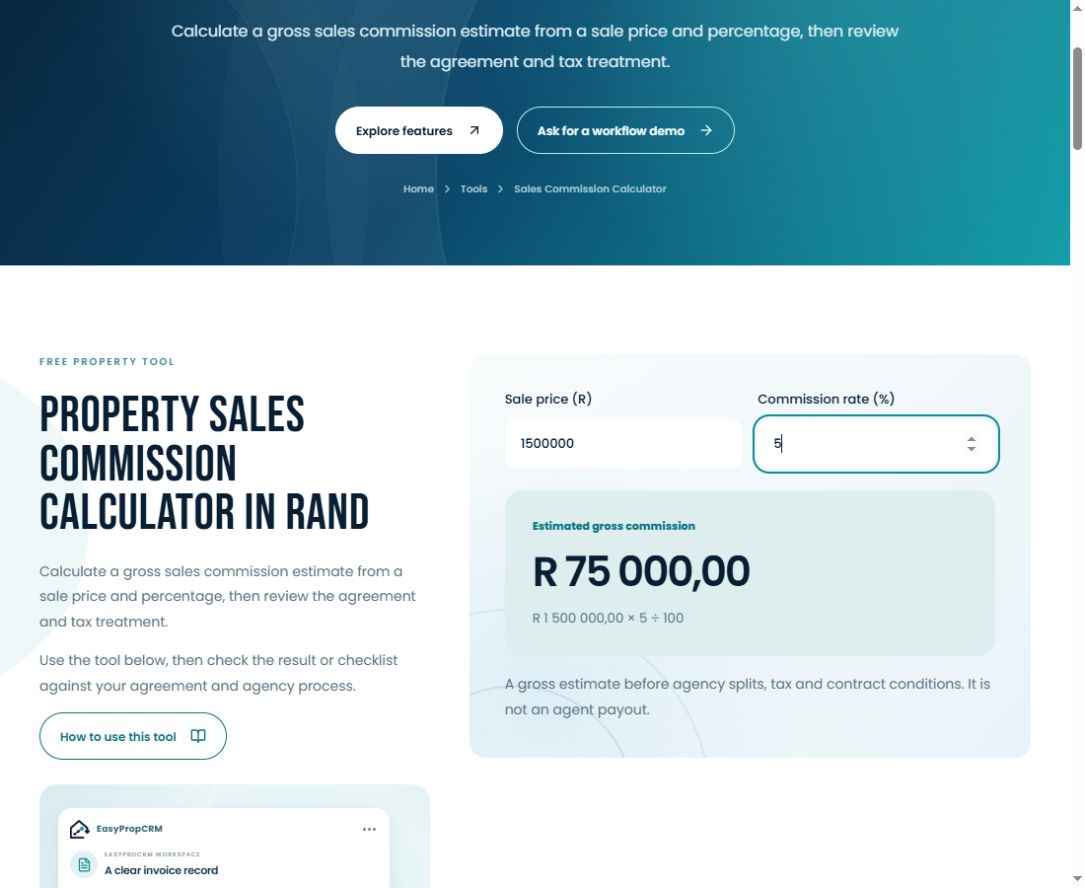
Change Commission rate to 4 and read the result
Click Commission rate (%) and enter 4, not 0.04. The gross estimate updates to R60,000 immediately. The formula beneath the amount shows the inputs used.
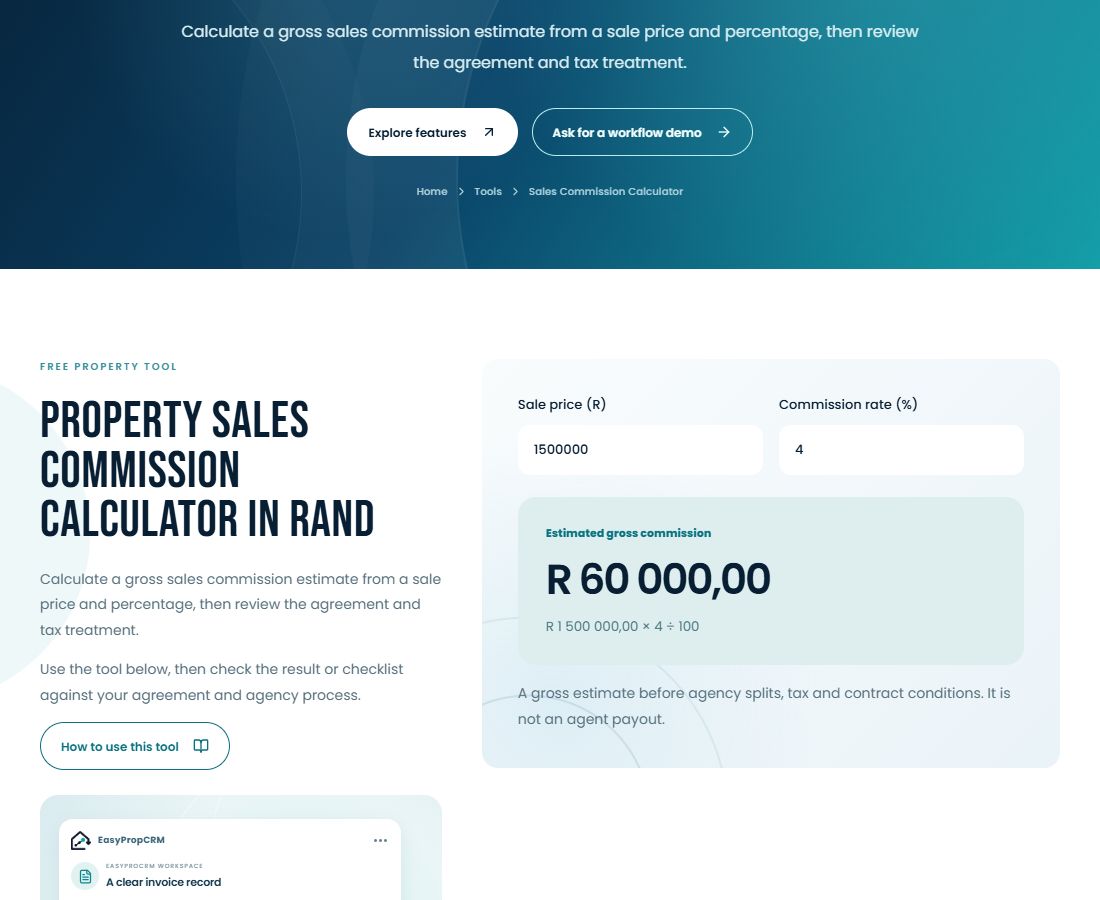
The final example is R1,500,000 × 4 ÷ 100 = R60,000. It is a gross working estimate, before splits, tax and contract conditions. Keep it separate from invoices, payments received and any agent payout.
Screenshots: EasyPropCRM public tools · Captured 27 October 2026 · Example inputs.
What should a manager check in a weekly pipeline review?
Start with the records that need a decision: deals without a next action, follow-ups past their planned date, and opportunities that have remained in the same stage without an explanation. Ask the responsible agent what is blocking progress and what help would change the situation. A short exception-focused review is easier to act on than reading every card aloud while nothing is updated.
Record the agreed action during the review and assign it to someone. If an expected date is no longer realistic, revise it with a reason rather than keeping an outdated date to preserve a forecast. Look for inconsistent stage use across agents and unclear financial fields across deal types. The review should leave the pipeline more accurate and the next steps more specific than when the meeting began.
- Which deals have no owner or next action?
- Which planned follow-ups have been missed?
- Which stage changes need supporting information?
- Which expectations or amounts have changed?
- Which decisions need a manager or another colleague?
What should happen when a deal closes or stops progressing?
Record an outcome using the criteria your agency has agreed. Preserve the history needed to explain that outcome and identify any further work, such as a handover, administrative task or later client follow-up. Do not leave completed work in an active stage just because someone may want to refer to it again. A record can remain useful after it leaves the active pipeline.
For work that does not proceed, record a factual reason where known and avoid turning an unconfirmed assumption into a conclusion. Reviewing outcomes can help the agency identify unclear qualification, missing documents or repeated handover delays. Compare like with like: sales and rental placements may have different timelines and completion criteria. Use the pipeline to improve how the team works, rather than relying on a total that combines incompatible records.
Bring this checklist to your next team review.
- Does each active deal have an accountable owner?
- Can someone explain why it is in the current stage?
- Is the next action specific enough to complete?
- Are sales and rental amounts clearly labelled?
- Are completed, stalled and unsuccessful outcomes recorded consistently?
Turn the idea into a working process.
Explore the relevant EasyPropCRM workflow or use a practical planning tool with your team.