Why organise property contacts by location?
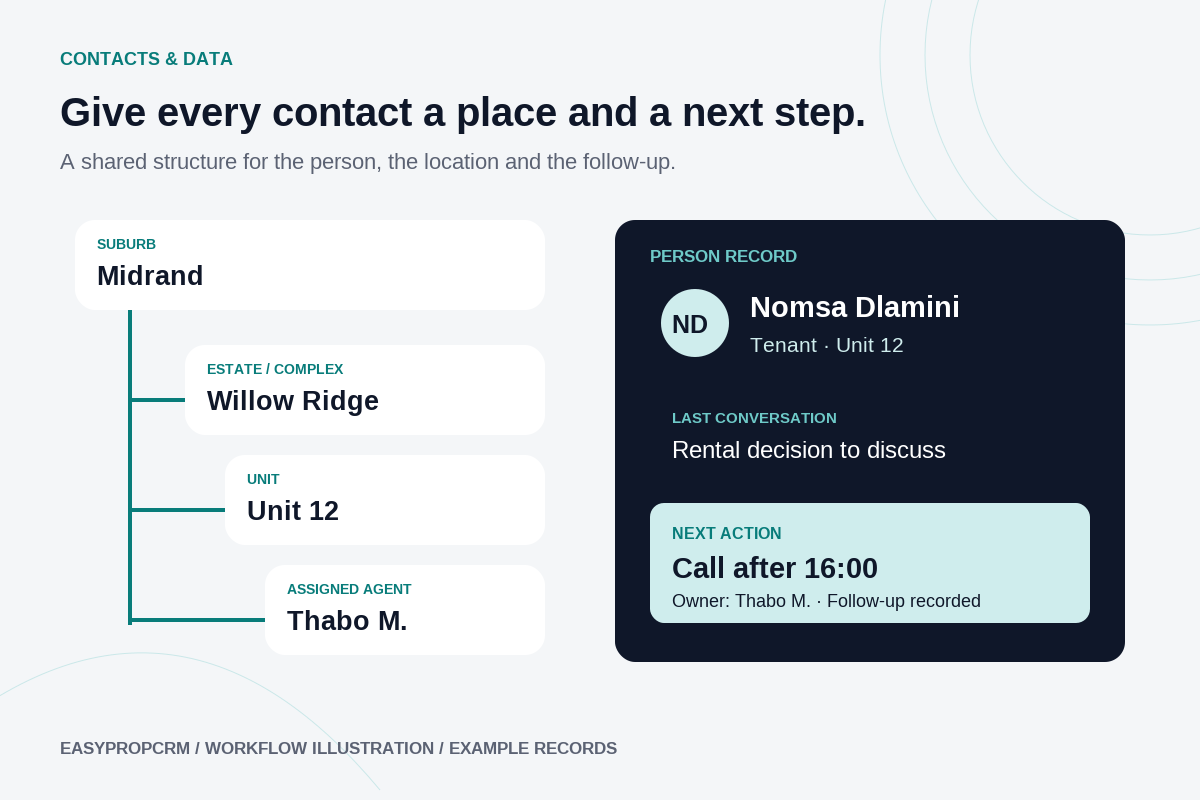
Property conversations usually start with context: a unit in a complex, a landlord with a rental, or a buyer interested in a particular suburb. A flat list of names and phone numbers leaves the agent to reconstruct that context before every call. Grouping contacts by suburb, estate and unit gives the agency a common starting point for searches, canvassing and handovers.
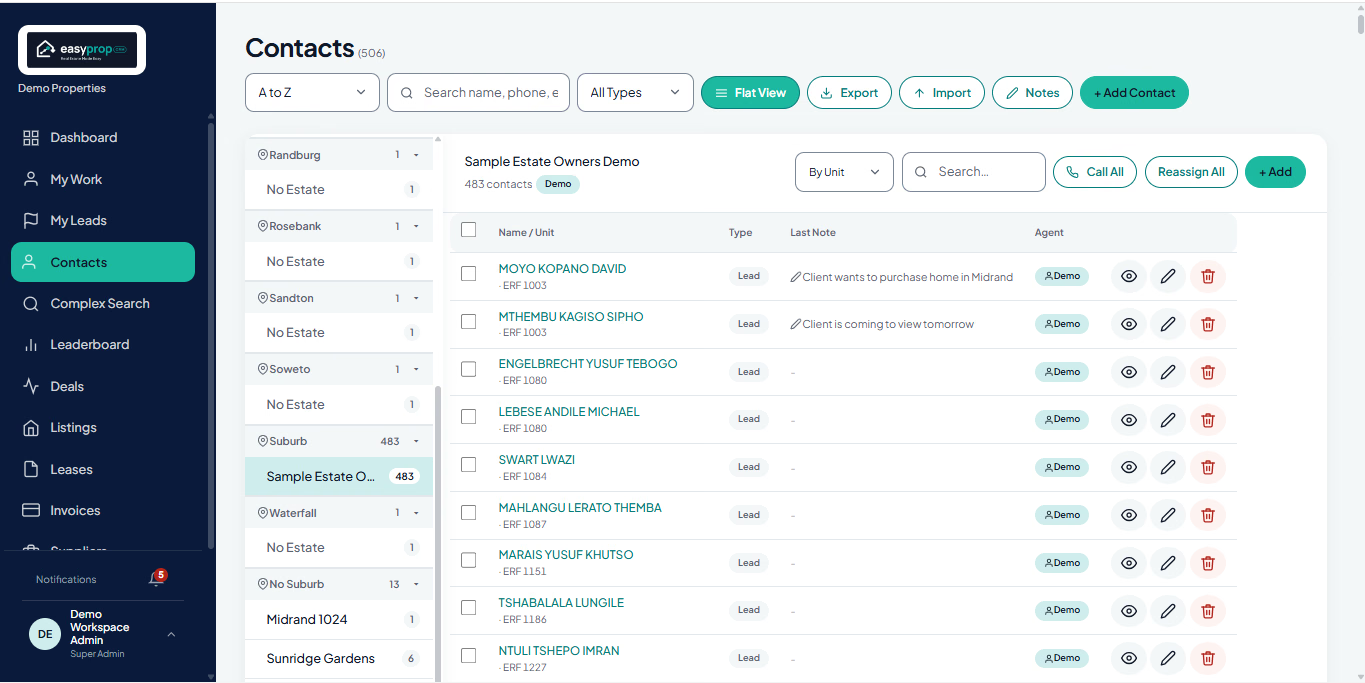
The benefit is practical rather than cosmetic. If two agents receive enquiries about Willow Ridge, they should be able to find the same estate name and understand the relevant unit. That does not mean everyone in the estate has the same relationship with your agency. Location answers where; the contact record still needs to explain who, why and what happens next.
- Use a location view when planning work in a complex or neighbourhood.
- Use a person search when responding to a known caller or email.
- Keep both routes to the record available in your daily process.

A place is the starting point. The relationship comes next.
Which fields belong in a property contact database?
Start with the smallest set of fields that lets another team member continue the work: name, contact details, role, known location, assigned agent and next action. Add the source of the enquiry and the date of the last meaningful interaction. An entry such as ‘interested’ is hard to use; ‘buyer asked for two-bedroom options in Midrand; call after 16:00’ gives the next agent something concrete.
Separate the fields your team searches from the notes it reads. Put suburb, estate and unit into consistent location fields rather than burying them in a paragraph. Use notes for circumstances, questions and decisions. Avoid collecting information merely because a field exists. Decide which details the agency needs for the current task, who may see them and when they should be reviewed.
- Identity: name and verified contact details.
- Context: role, suburb, estate or complex, and unit or ERF when known.
- Responsibility: assigned agent and relevant agency team.
- Action: last interaction, next step and follow-up date.
How do you standardise estate, suburb and unit names?
Agree a naming convention before importing a large contact list. ‘Willow Ridge’, ‘Willowridge’ and ‘Willow Ridge Estate’ may describe the same place, but a team should choose one recognised form for routine entry. Keep a small reference list with the preferred spelling, suburb and any common alternative names. Have one person approve additions when the identity of a location is uncertain.
Preserve details that distinguish units. Unit 12 and Unit 12A may be different properties; a scheme name alone may be insufficient when there are multiple blocks. Store the most precise verified identifier your process supports and put unresolved details in a review queue. Do not guess an estate simply to complete a field. A correct suburb with an explicitly unknown unit is more useful than confident-looking but inaccurate data.
- Choose one estate name and one suburb spelling.
- Keep block, unit and ERF identifiers distinct where relevant.
- Resolve uncertain addresses before merging records.
What if one person has several property relationships?
A person can be a landlord in one estate, a buyer in another area and a seller at the same time. Treat those as contexts to record, rather than reasons to change their identity every time a new conversation begins. Before creating another contact, search the existing database using the information you have and check whether the person is already known to a colleague.
How you represent multiple relationships depends on the fields and links available in your CRM. Do not assume that location grouping automatically creates a complete property ownership register or a landlord–tenant relationship. In EasyPropCRM, estate and suburb grouping provides a way to browse contacts by place. Record additional context clearly and confirm the relationship structure you need during setup, especially when managing several properties for one person.
How should you clean a spreadsheet before importing it?
Work on a copy of the source spreadsheet and keep the original available for checking. Standardise headings and review estate names, phone numbers and email addresses. Compare likely duplicates using more than one clue. Two rows with the same name may represent different people; two different spellings with the same verified email may represent one person. An agent who knows the relationship should resolve uncertain cases.
Import a small, representative sample first. Include records with a full address, a missing unit, more than one role and an existing follow-up. Check where each field lands, whether characters display correctly, and whether the assigned agent can find the record. Record the adjustments you made before importing the rest. This is easier to control than asking everyone to repair thousands of entries after the migration.
- Use the contact import template to prepare consistent headings.
- Review uncertain duplicates instead of deleting them automatically.
- Check a sample in the CRM before importing the full list.
Download the contact template: see where to click
Open the free contact import template, check the headings and download the blank CSV. The screenshot below is from the actual public tool.
Open the contact import templateCheck the headings, then choose Download blank CSV
Look for Complex, Suburb, Unit and ERF in the heading chips. Click Download blank CSV to save the empty template; no account or contact upload is needed.
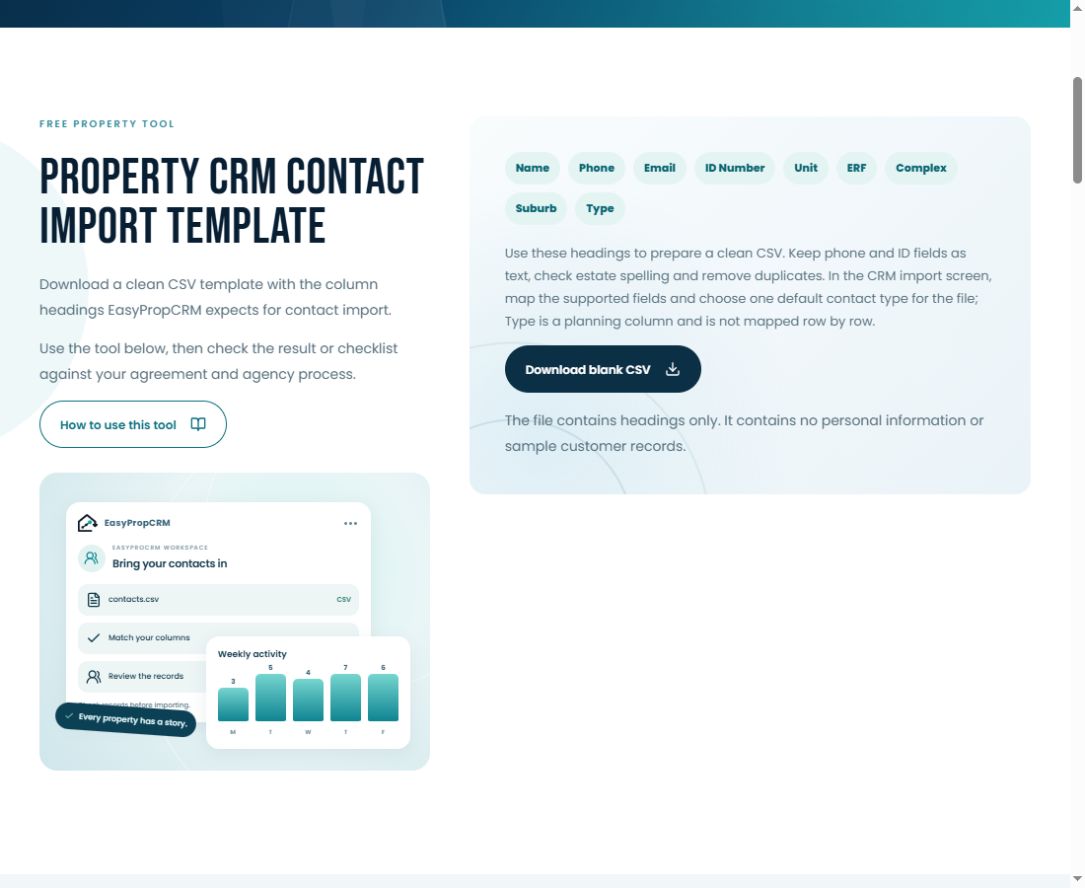
The download contains headings only. Open it in your spreadsheet app, keep those headings and prepare a small approved batch. Complex is the location column to review for estate or complex naming. This public page does not upload, validate or import contacts.
Screenshots: EasyPropCRM public tools · Captured 27 October 2026 · Example inputs.
How does location grouping improve daily follow-up?
Choose an estate or suburb, then narrow the work to contacts that need attention. A useful work list should show the reason for the conversation, the responsible agent and the next action. That prevents an area view from becoming another static directory. After a call, record the outcome in plain language and set a specific next step, even when the outcome is that no further action is needed.
A handover should let the receiving colleague answer three questions without calling the previous agent: what was discussed, what remains open and when to act. Keep notes dated and distinguish a confirmed decision from an assumption. If the contact moves or the property relationship ends, update the context while retaining the history needed to understand earlier conversations. Location fields are useful only while the team keeps them current.
How can a manager keep contact data useful?
Build a short review into the team’s normal routine. Look at a sample of newly added contacts, records without an owner and follow-ups that have passed their intended date. Ask whether another agent could understand the next step. The aim is to correct habits and resolve exceptions, not to fill every field regardless of whether the information is known or needed.
Use simple measures the team can act on: the number of unassigned records, unresolved duplicates, inconsistent estate names and overdue next actions. Compare the same measures over time using a consistent definition. A larger database is not automatically a better database. A smaller set of accurate, understandable records can support better property conversations than a much larger collection of names nobody trusts.
Bring this checklist to your next team review.
- Can an agent find the record by both person and location?
- Are estate and unit details verified or clearly marked for review?
- Does the record have a responsible agent?
- Is the latest note understandable without extra explanation?
- Is there a dated next action or a clear reason why none is needed?
Turn the idea into a working process.
Explore the relevant EasyPropCRM workflow or use a practical planning tool with your team.