Check a management-fee quote
Enter the quoted rent and percentage, then compare the estimate with the management-fee line in the quote. A difference may reflect other charges or a different fee basis; check the agreement.
 Log in
Estimate a monthly property management fee from rent and a chosen percentage, with a clear calculation and assumptions.
Estimate a monthly property management fee from rent and a chosen percentage, with a clear calculation and assumptions.
Use the tool below, then check the result or checklist against your agreement and agency process.
How to use this toolAn estimate before VAT, placement fees and contract-specific charges. Check the signed agreement.
Turn a monthly rent and an agreed percentage into a fee estimate. Change either input to compare another scenario instantly.

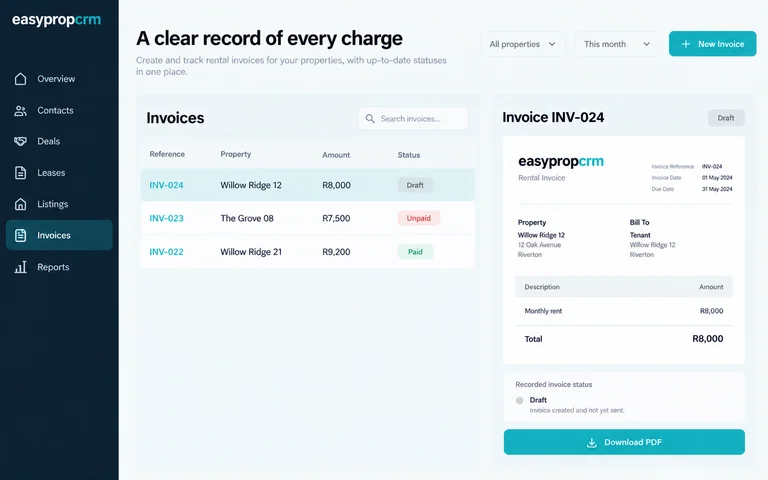
Example values shown. The screenshot automatically matches your screen size.
Before you startHave the monthly rent and management percentage ready. Enter numbers only, without R or % symbols.
Replace 8000 with the rent you want to assess. Use the monthly amount, not an annual total. Enter a decimal point for cents, for example 8500.50.
Replace 10 with the percentage in the agreement or quote. Enter 10 for 10%, not 0.10. Use a rate between 0 and 100; the default is an example, not a recommended fee.
The estimate updates as you type; there is no Calculate button. Record the result alongside the rent and percentage before changing inputs. Add any separately agreed charges outside this tool.
8,000 × 10 ÷ 100 = 800. Changing only the percentage to 8 gives R640: a R160 difference per month before other charges.
Choose a scenario for the inputs, next action and limits that apply.
Enter the quoted rent and percentage, then compare the estimate with the management-fee line in the quote. A difference may reflect other charges or a different fee basis; check the agreement.
Keep the rent unchanged and enter each quoted percentage in turn. Write down each result. Compare service scope, minimum fees and extra charges separately; the calculator does not rank agencies.
Keep the percentage fixed and replace the rent with the proposed monthly amount. Compare the new fee with the previous result. This estimates the fee change; it does not approve a rent increase.
Run each property separately using its own rent and agreed rate. Record and add the results outside the tool. There is no saved portfolio, bulk calculation or vacancy adjustment.
This calculator covers rent × percentage. Choose the part of your rental workflow that needs more context.
VAT, placement charges, minimum fees and prorating are outside this calculator. EasyPropCRM has lease and invoice records; bring your fee rules to a demo to confirm what can be handled in the CRM.
The answers behind your next decision.
Monthly rent in rand and the management percentage agreed or under consideration.
Monthly management fee = monthly rent × chosen percentage ÷ 100. At R8,000 rent and 10%, the estimate is R800 per month.
VAT, placement/procurement fees, admin charges and contract-specific rules; check the actual agreement.
Short answers to the questions that come up after the main details.
Explore the help centreNo VAT is added by default. The result is rent × selected percentage; show any tax treatment separately only when specified.
No. Procurement/placement and admin charges are separate contractual items. Procurement fee.