
Log in
TOOLS / EASYPROPCRM

FICA document tracker checklist for property agencies

A simple tracker for documents requested, received and reviewed for a property contact, with space for an owner and follow-up date.

FREE PROPERTY TOOL

FICA document tracker checklist for property agencies

A simple tracker for documents requested, received and reviewed for a property contact, with space for an owner and follow-up date.

Use the tool below, then check the result or checklist against your agreement and agency process.

How to use this tool
EasyPropCRM
EASYPROCRM WORKSPACEDocuments to review
Identity documentUploaded
Address documentUploaded
Agency reviewPending
Document status supports your review.
Review at a glance
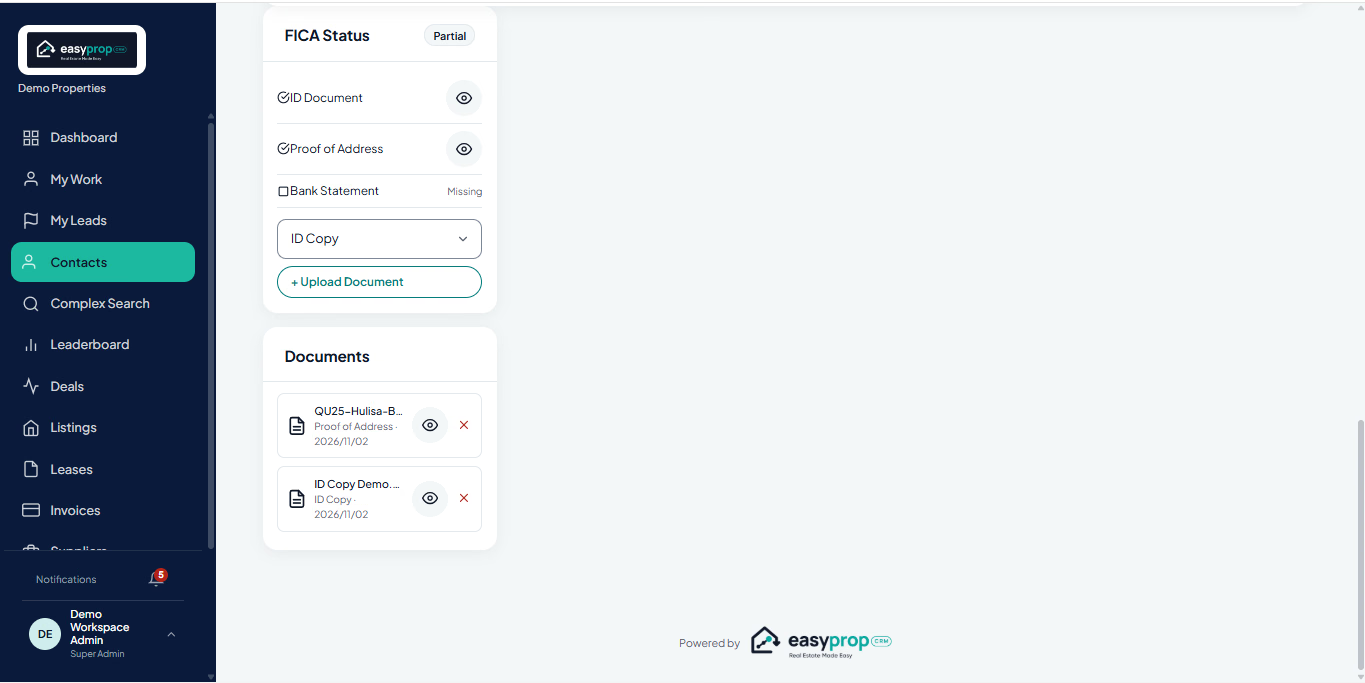
2 documents uploaded
Agency review pending
Uploaded does not mean verified.
Every property has a story.
0 of 6 checked

This planning aid does not decide legal compliance or replace your agency's approved documents.

A LITTLE GUIDANCE. A CLEAR NEXT STEP.

How to use the FICA document tracker checklist

Use six process prompts to organise a document follow-up, then download the checklist state for your approved workflow.

YOUR VISUAL WALKTHROUGHDesktopTabletMobile view
FICA document tracker checklist showing two of six process prompts checked, the progress counter and the text download button; arrows mark review and follow-up steps.
  1. Process checks
  2. Progress count
  3. Text download

Example values shown. The screenshot automatically matches your screen size.

Before you startHave your agency’s approved document requirements and contact reference available. This public checklist has no identity-document upload.

  1. Complete the six process prompts

    Record the contact reference; list requested documents; record request and receipt dates; assign a reviewer and outcome; note missing information and the next action; store ID files through the approved process. Tick each prompt after completing that work in your own records.

  2. Review the checklist count

    The counter shows completed prompts out of six. Untick a prompt if work needs reopening. This is a process counter, not a count of verified documents or a FICA approval status.

  3. Download a copy for follow-up

    Download checklist saves fica-checklist.txt with the current [x] and [ ] markers. Add references and actions in your approved record system. Download before reloading or leaving, because this page does not save your progress.

Try these steps in the tool
WORKED EXAMPLE

Two prompts checked, four still open

The screenshot marks the contact reference and requested-document list. The remaining dates, review, next-action and storage prompts stay unchecked. No document has been verified by this tool.

MAKE IT WORK FOR YOUR TASK

When can you use this tool?

Choose a scenario for the inputs, next action and limits that apply.

Organise a new contact’s document request

Use the contact-reference and requested-document prompts to start a record in your approved system. Determine which documents are required from your agency process; the checklist does not provide a universal document list.
Follow up on missing information

Review the request/receipt and next-action prompts against your actual records. Record what is outstanding, who owns the follow-up and when it is due outside this tool.

Prepare a reviewer handover

Download the current tick state and use the reviewer prompt to organise a handover through approved channels. Checking it does not perform verification or send the file to a reviewer.

Revisit a record or start another contact

Untick tasks that need another review, then download a fresh copy. For a new contact, reset all ticks or reload. Keep separate reference-labelled records in your approved system; this checklist has no contact database.

WHEN THE FREE TOOL IS NOT ENOUGH

Need more than a FICA process checklist?

A tick is a planning prompt, not a verified document. Choose the record or follow-up your agency needs.

YOUR NEXT WORKFLOW

See what is ready and what needs review

The public checklist stores no identity files or approval result. Explore FICA tracking in the CRM and review its status workflow with your compliance process.

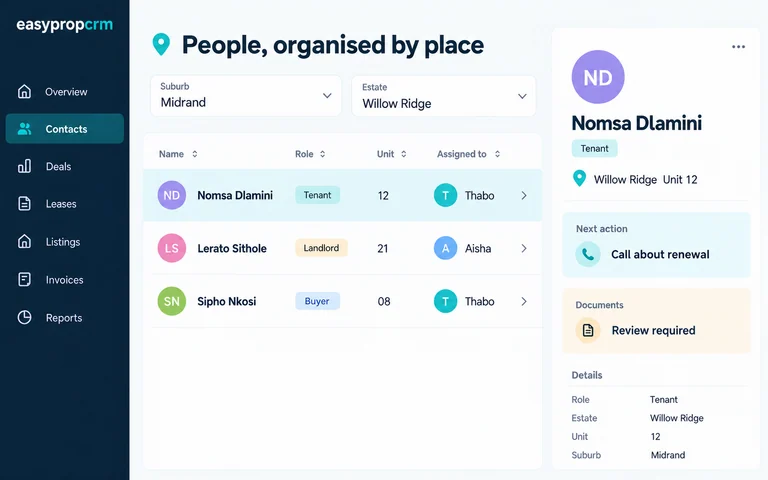
EasyPropCRM contact and document interface
People. Places. Next steps.
THE DETAILS THAT MATTER

What should your team know?

The answers behind your next decision.

What should the tracker include?

Contact reference, document requested, request date, received date, reviewer, outcome and next action. Keep actual ID numbers and document files out of a shared public template.

Does the checklist decide compliance?

No. Your agency's risk and due diligence process determines what is required and whether the evidence is sufficient.

GOOD TO KNOW

Frequently asked questions

Short answers to the questions that come up after the main details.

Explore the help centre
Should the blank tracker contain ID numbers?+

No. Use a contact reference or approved secure system; keep actual identity documents out of a broadly shared template.

Does a completed checklist prove compliance?+

No. The agency must make and record its own due-diligence decision under its applicable process. FICA feature.
