
Log in
GUIDES / EASYPROPCRM

A real estate agent follow-up workflow that keeps work moving

A contact record is most useful when another team member can see what happened and what comes next.

EasyPropCRM
EASYPROCRM WORKSPACEOne shared workspace
Review assigned contacts
Check open deals
Plan the next follow-up
One place for your team's next steps.
Every property has a story.
Explore the interface
My Work
My Work

EasyPropCRM product interface

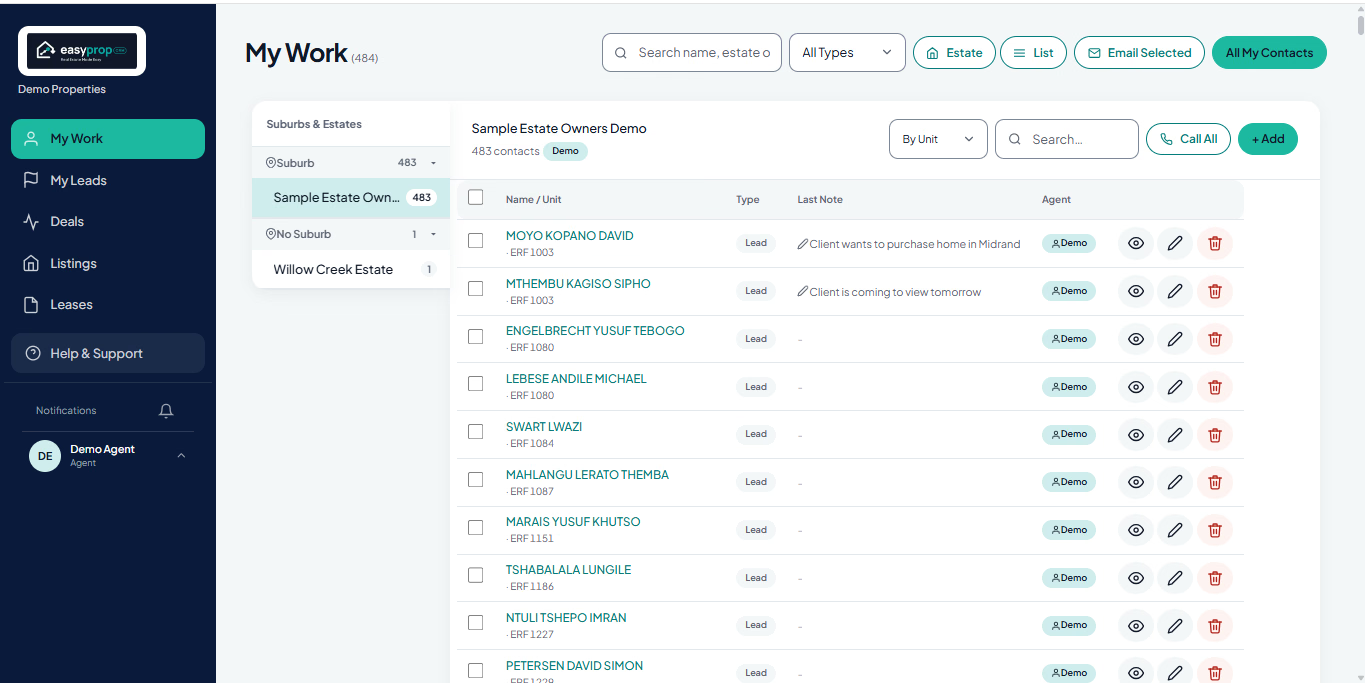
EasyPropCRM My Work showing assigned property contacts, estate filters and contact actions.
PROPERTY WORKFLOW / EASYPROPCRM
THE WORKFLOW AT A GLANCE

What does a repeatable agent follow-up routine look like?

  1. Review assigned contacts

    Open My Work and filter by estate, contact type or the person you need to reach.

  2. Prepare the conversation

    Check the contact's role, property context, recent notes and open deal or lease.

  3. Record the outcome

    Add a factual note, update the relevant record and name any unanswered question.

  4. Set the next action

    Schedule a reminder with a date, owner and short description of the task.

THE PRACTICAL DETAILS

How does this work in practice?

A practical guide, one question at a time.

Where should a property agent start each day?

Start in My Work, which shows contacts assigned to the agent. Estate view keeps local portfolios grouped; list view helps when searching across assigned contacts. Filter by contact type or search by name, suburb, estate or unit. If a contact is missing, check filters first and ask an administrator to confirm the assignment before creating another record.

What should an agent check before a follow-up?

Confirm you have the right person and property context. Read the latest note, current deal stage or lease date, and any promised next step. Avoid relying on an old phone number or a loose message thread when the shared record has changed. For sensitive documents, follow the agency's access and handling process.

What makes a useful CRM note?

Record the date, the channel used, the outcome and the action agreed. A short note such as ‘Tenant requested a maintenance update; manager to call on Thursday’ is more useful than ‘called tenant’. Keep opinions and unnecessary personal details out of the record. Update a deal or lease separately when its status actually changes.

How should reminders support the next conversation?

Link the reminder to the contact, choose a relevant type and set a date and time. Add a note that tells the assigned person what to do. The knowledge base describes email notifications for due reminders, but sending depends on the agency's scheduled jobs and email setup. Check the CRM's reminder list as part of the daily routine rather than relying on email alone.

How can a team lead review follow-up quality?

Look for unassigned contacts, stale notes, overdue next actions and deals or leases with no clear owner. Review a small sample together with agents and correct the process, not just the record. The aim is a reliable shared history so the next person can continue the conversation without repeating basic questions.

GOOD TO KNOW

Frequently asked questions

Short answers to the questions that come up after the main details.

Explore the help centre
Can an agent see every agency contact in My Work?+

My Work is filtered to contacts assigned to that user. An administrator can check the assigned agent when a record is missing.

Does a reminder contact the tenant or landlord automatically?+

No. Reminders are internal follow-up tasks. Any client communication must be sent through the agency's chosen channel.

Must follow-ups use the CRM's calling or SMS tools?+

No. Those channels require provider setup. Record the outcome of a call or message made through an approved external channel when appropriate.

WHEN YOU'RE READY

Ready to see your property workflow?

One subscription for deals, billing, admin and portal syndication. See how EasyPropCRM fits your agency with a focused demo.
