 Log in
Separate agency workspaces on one real estate CRM platform
Give each agency a clear working context. EasyPropCRM organises records and staff within agency workspaces so the team knows which business, portfolio and responsibilities it is working with.
Agency workspaces: the essentials for your property team
Prepare the agency’s people, contact structure and branding together.
Check access and record ownership before inviting a wider team.
- Establish the correct agency context.
- Organise users and records deliberately.
- Confirm any cross-agency requirement during setup.
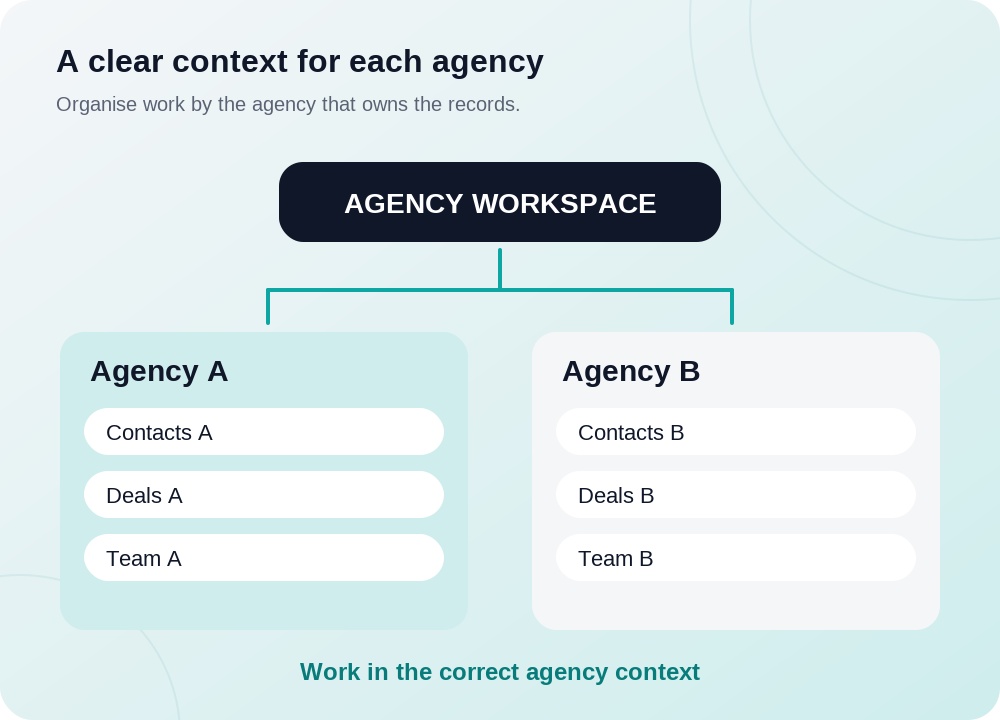
What is an agency workspace in a property CRM?
An agency workspace is the business context in which staff work with their property records. It helps organise the agency’s people, contacts and operational information within a defined environment. This is useful when the product serves different agencies or when a business needs to clarify how separate operations should be set up.
EasyPropCRM supports agency-specific workspaces. The workspace provides the context for users, property contacts and daily tasks, while roles and assignments determine how individuals participate. Do not assume that separate workspaces automatically include a group management console, shared reporting or unrestricted movement of records between agencies; those are specific requirements to discuss before rollout.
What belongs in an agency workspace setup?
Start with the business identity, the people responsible for administration and the initial portfolio to be used. Prepare the agency logo, colours and verified banking details for the supported invoice and email branding. Identify the person who will approve those details and keep them current after onboarding.
Organise the contact structure at the same time: suburbs, estate names, unit formats and proposed assignments. These decisions affect how useful the workspace feels to agents on the first day. EasyPropCRM includes setup, contact migration and training. A clear owner for the source records and configuration makes that work easier to review and maintain.
How should records be organised within a workspace?
Keep contacts in the correct agency context and use a consistent approach to roles, locations and ownership. Deals, leases, documents and billing records then have a practical foundation. A contact imported into an unintended workspace can create confusion even when the field values themselves appear accurate.
Before a larger migration, inspect a representative sample with the responsible agency administrator. Confirm which users can locate and work with those records, and check the estate and list views. Avoid copying records into another workspace as an informal way to solve access problems. Any transfer or shared-work requirement should be reviewed for business purpose, ownership and the actual product workflow.
How do staff responsibilities work within an agency?
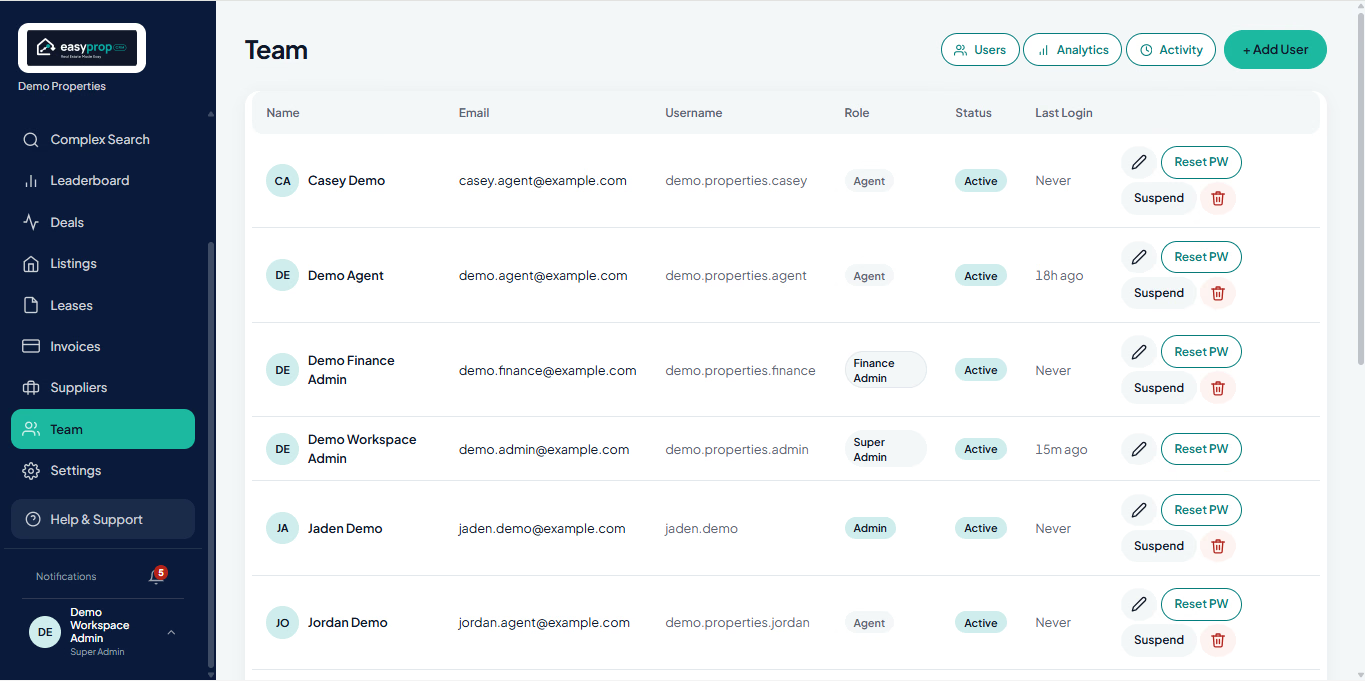
Name the administrator responsible for the workspace, then configure the available roles around the team’s tasks. Agents may focus on assigned contacts and opportunities, finance staff on billing, and managers on wider review. Contact assignment adds another layer of practical responsibility within the agency’s working structure.
Test what each role can do using safe sample records. An agent’s successful sign-in is not enough to show that the intended contacts are available, and a manager’s access should not be assumed to cover every financial or document action. Document the agency’s route for access changes, leave cover and new staff so the workspace stays organised as the team grows.
How does agency branding fit the property workflow?
The product supports the agency’s logo, colours and banking details on invoices and emails. These details help clients recognise who is communicating with them and where a billing document belongs. Review the generated output before sending it to clients, especially where banking information or another financially important detail appears.
Branding should be treated as maintained business information, not a one-time decoration. Agree who can request changes and who verifies them. If the business operates several brands or offices, discuss the intended structure during setup and demonstrate the output for each relevant case. Do not assume that one workspace can represent every legal or commercial arrangement without checking.
What should a group or multi-office agency confirm?
A business with several offices may need separate records, common standards, central oversight or a mixture of those arrangements. Explain the required operating model before setup: who owns the contacts, which staff work across offices and what information managers need to compare. The right structure depends on those concrete responsibilities.
Confirm workspace access, reporting scope and any movement of information in the current product. Confirm cross-workspace dashboards or shared contact requirements explicitly, and review legal responsibilities separately from the workspace structure. Start with one reviewed pilot and expand only after the agency can demonstrate that its access, branding and working-record requirements are met.
How do branding, onboarding and group requirements fit together?
Your own branding is included in EasyPropCRM: agency logo, colours and banking details are used on invoices and emails. Prepare approved brand assets and review a sample customer-facing document during setup. This connects the working system to the agency identity without making each staff member rebuild templates separately.
For a group or multi-office business, explain how the teams, records and responsibilities should be separated or shared before rollout. More than 25 users can be discussed through group pricing. Confirm the proposed workspace arrangement and access boundaries with the team rather than assuming a group quote provides a particular cross-office reporting or record-sharing configuration.
A workspace rollout from agency identity to daily work
Define the agency context
Identify the business, administrator and initial portfolio. Explain any separate-office or group requirements before selecting the workspace structure.
Prepare people and records
Gather verified branding information, clean contact data and intended assignments. Agree location naming rules and the responsibilities of the initial team.
Test the first workflows
Use safe sample records to check contact access, estate grouping, billing output and the tasks each role performs. Resolve gaps before wider migration.
Introduce the team and review
Train staff in the agreed working conventions. Review ownership, branding and access when the agency’s organisation or responsibilities change.
Separate workspace decisions from assumptions
| Decision | What to establish | Question to resolve |
|---|---|---|
| Agency identity | Which business the workspace represents. | Which branding and billing details should appear? |
| Team access | Who performs each task. | Which roles and assignments fit those responsibilities? |
| Record ownership | Where the portfolio belongs. | Who approves migration, correction or any proposed transfer? |
| Group oversight | What managers need to review. | Does the current reporting workflow support that exact scope? |
- Name the business and accountable workspace administrator.
- Verify logo, colours and banking details.
- Identify the portfolio and source files to migrate.
- Agree contact naming and agent assignment conventions.
- Test access and financial output with sample records.
- Confirm cross-office and group reporting requirements explicitly.

Agency workspaces FAQs
Short answers to the questions that come up after the main details.
Explore the help centreCan EasyPropCRM organise separate agencies?+
The product supports agency-specific workspaces. Discuss the intended business structure and staff responsibilities during setup, then test the relevant records and access. Separate workspace organisation should not be treated as a promise of a group dashboard or automatic sharing between agencies.
Can one user work across several agency workspaces?+
Confirm that exact access requirement during setup rather than assuming it from the existence of multiple workspaces. Explain which tasks the person performs for each agency and what information they need. Test the current account behaviour with the authorised administrator before rollout.
Can each agency use its own branding?+
The supported branding includes the agency’s logo, colours and banking details on invoices and emails. Review the actual output during onboarding. If your organisation has several brands or business entities, explain the required structure and verify how each should be represented.
Does a workspace replace role-based permissions?+
No. A workspace establishes agency context, while roles and contact assignments organise the responsibilities of individuals within it. Plan both together. Check a representative task for each staff role and verify that the expected records appear in the correct working area.
What should a group bring to a workspace demo?+
Bring a simple outline of the offices or agencies, proposed administrators, staff who cross boundaries and the reports management needs. Use sample records without personal data. Ask to demonstrate the specific access, branding and reporting requirements before agreeing the rollout structure.
How do branding, onboarding and group requirements fit together?+
Your own branding is included in EasyPropCRM: agency logo, colours and banking details are used on invoices and emails. Prepare approved brand assets and review a sample customer-facing document during setup. This connects the working system to the agency identity without making each staff member rebuild templates separately.
See agency workspaces in EasyPropCRM
Bring a workflow from your agency. Explore the records, responsibilities and next actions with an EasyPropCRM demo or a full-access free month.
