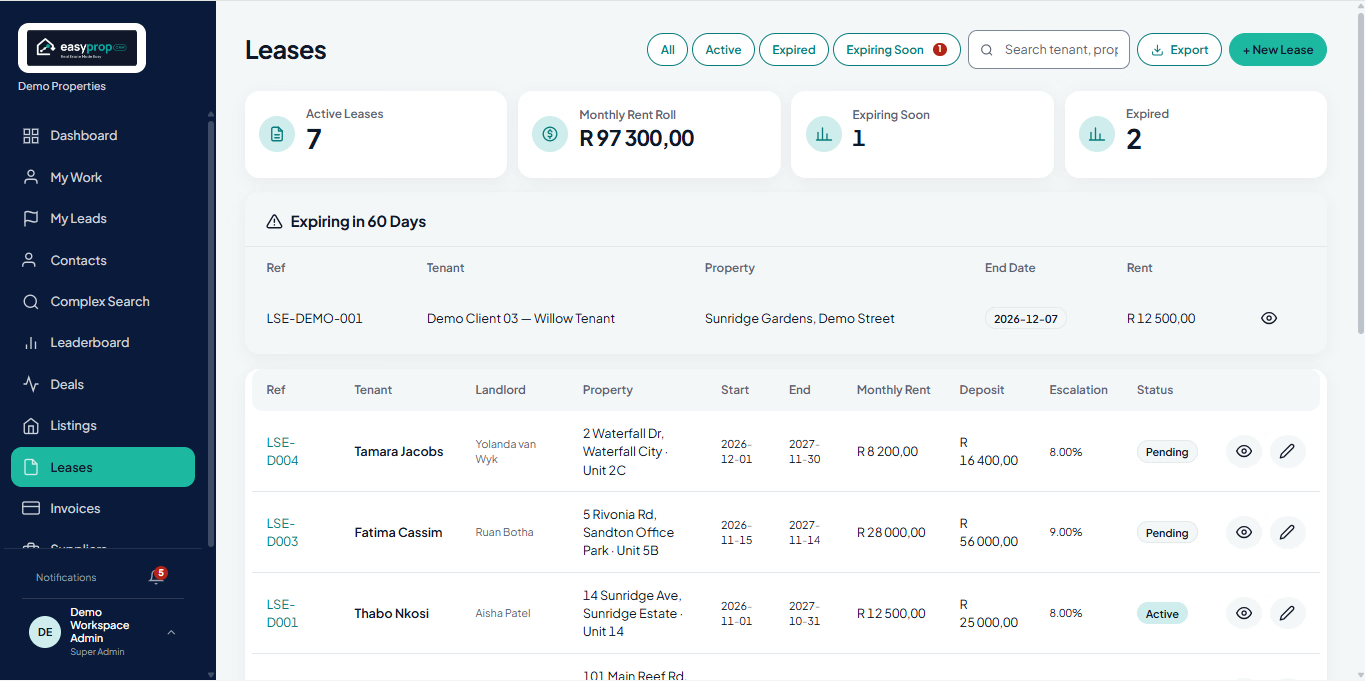
Which tenant, property, date and rent fields are required?
Select the tenant contact, then record the property, start and end dates, rent, deposit and agreed fees. Attach the signed document if your agency process permits.
 Log in
Record a tenant, property, lease dates and rent; keep renewal follow-ups with the contact.
 EasyPropCRM
A practical guide, one question at a time.
Select the tenant contact, then record the property, start and end dates, rent, deposit and agreed fees. Attach the signed document if your agency process permits.
Check the end date, schedule a reminder on the contact and record each renewal discussion. Update the lease only when terms are agreed.
Add a repair entry to the lease with status and any known cost.
Short answers to the questions that come up after the main details.
Explore the help centreThe status can change when the end date passes; check that the date and any renewal have been entered correctly.
The guide describes an invoice action that pre-fills the tenant and rent. Review every line item before sending. Invoices help.
One subscription for deals, billing, admin and portal syndication. See how EasyPropCRM fits your agency with a focused demo.