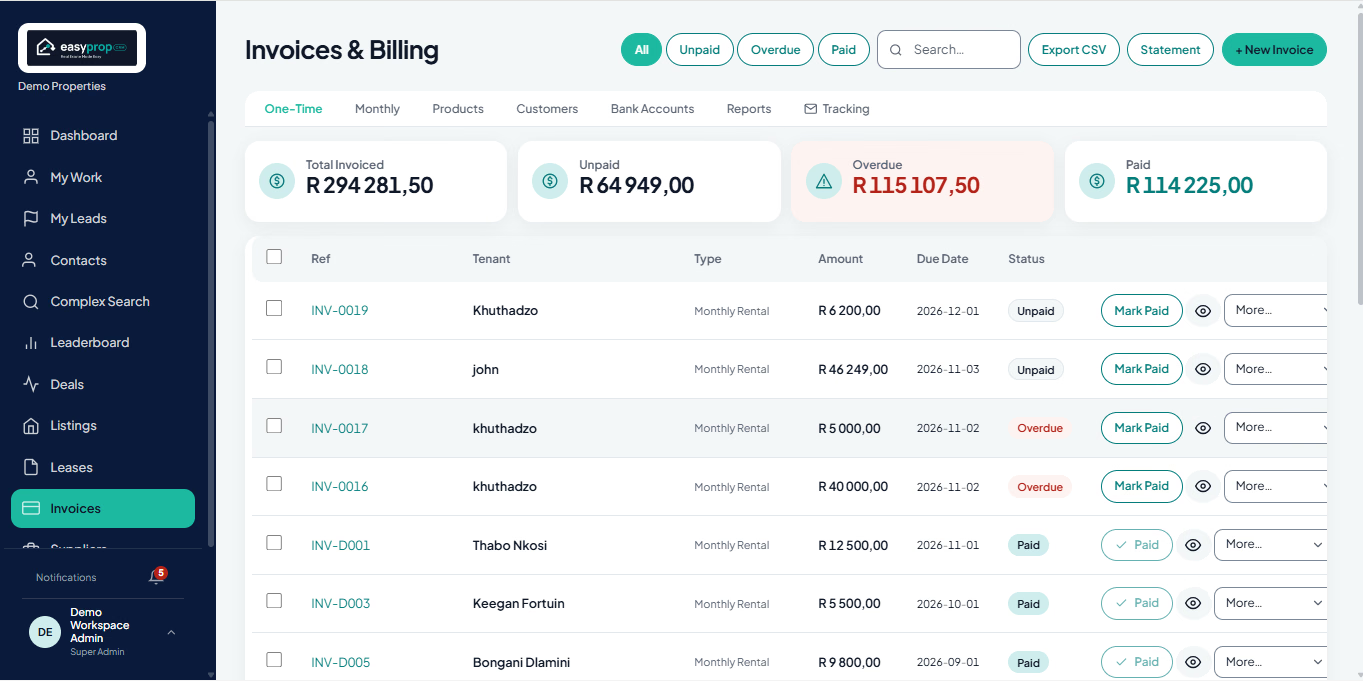
How do you add line items and a due date?
Select the contact or lease, add line items and a due date, then save a draft for review.
 Log in
Prepare line items and a due date, download an invoice PDF and review payment status.
 EasyPropCRM
A practical guide, one question at a time.
Select the contact or lease, add line items and a due date, then save a draft for review.
Download the PDF or use the available email action after checking recipient and amount. Update the status when payment is recorded; the CRM is not a substitute for reconciling bank records.
Open the contact's financial view for invoices and statements.
Short answers to the questions that come up after the main details.
Explore the help centreIt has passed its due date without a recorded payment. Check the actual bank/payment record before changing status.
Confirm the invoice has at least one line item, save it and retry. If it still fails, send the invoice reference and error to support, not client bank details.
One subscription for deals, billing, admin and portal syndication. See how EasyPropCRM fits your agency with a focused demo.