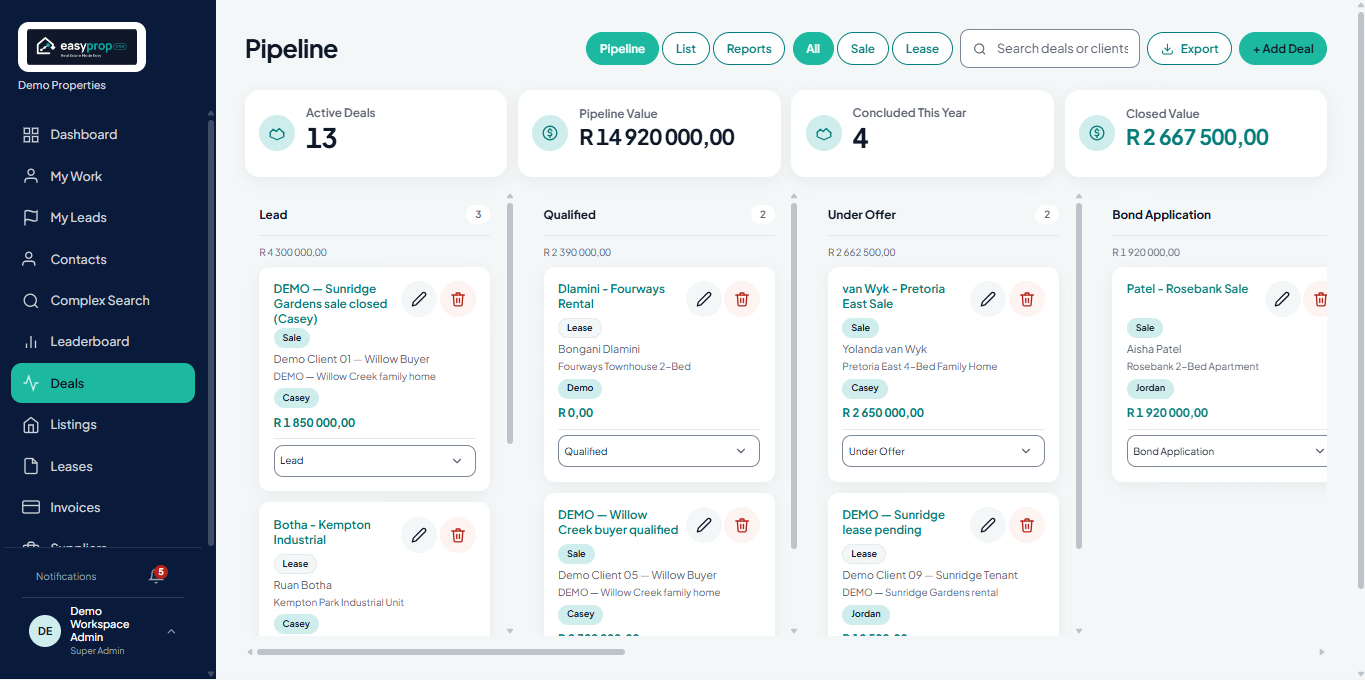
Which contact, type, stage and agent fields start a deal?
Add a title, primary contact, sale/rental/commercial type, stage and assigned agent. Enter the rent or sale price and relevant fee assumptions where applicable.
 Log in
Add a sale or rental deal, choose a stage and check the amounts recorded in EasyPropCRM.
 EasyPropCRM
A practical guide, one question at a time.
Add a title, primary contact, sale/rental/commercial type, stage and assigned agent. Enter the rent or sale price and relevant fee assumptions where applicable.
Change the stage when the work moves from lead to negotiation, contract, closed or lost. Review the amounts before using them outside the CRM.
Use the deal report view for pipeline and commission estimates.
Short answers to the questions that come up after the main details.
Explore the help centreMove it to Lost rather than leaving it in an active stage; retain notes according to your agency's record policy.
The deal guide describes document uploads. Check the recipient and access rules before sharing a file.
One subscription for deals, billing, admin and portal syndication. See how EasyPropCRM fits your agency with a focused demo.