
Log in
GUIDES / EASYPROPCRM

Property CRM data export checklist for agency owners

Test the data you would need on a normal working day and when changing systems. Ask for any missing scope in writing.

EasyPropCRM
EASYPROCRM WORKSPACEBring your contacts in
contacts.csvCSV
Match your columns
Review the records
Check records before importing.
Every property has a story.
Explore the interface
Contact import
Contact import

EasyPropCRM product interface

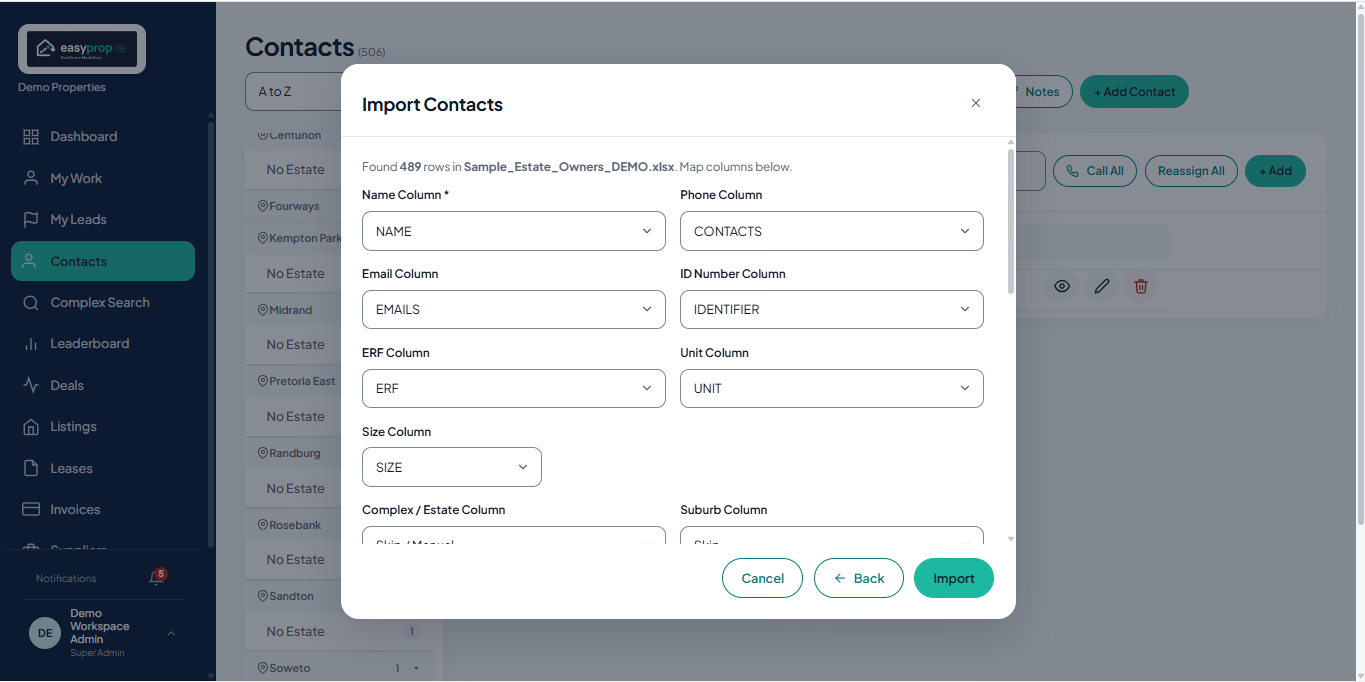
EasyPropCRM contact import dialog mapping spreadsheet columns to contact, property and estate fields.
PROPERTY WORKFLOW / EASYPROPCRM
THE WORKFLOW AT A GLANCE

How should you test a property CRM export?

  1. List the records

    Write down the contacts, deals, leases, invoices, notes and documents the agency may need.

  2. Run a small export

    Export sample records and open the files in a spreadsheet or PDF viewer.

  3. Check the gaps

    Compare fields, attachments, relationships, history and record counts with the source system.

  4. Agree the handover

    Confirm access, format, timing, retention and secure transfer arrangements in writing.

THE PRACTICAL DETAILS

How does this work in practice?

A practical guide, one question at a time.

Which EasyPropCRM records can be exported from the current interface?

The current CRM interface has CSV actions for contacts, deals, leases and invoices. A contact can also have a print-ready report, while invoices and statements have PDF workflows. Availability depends on role and the record being viewed. Test these actions with a small, realistic set before treating them as a complete exit package.

What should you check inside a CSV file?

Open the file and inspect headings, dates, amounts, contact roles, estate or unit fields, assigned agents and characters in names. Compare the number of exported rows with the view you used. Check whether the action exports the current loaded view or the full set you expected. Keep the original file while you verify the result.

What might a spreadsheet export leave out?

A CSV contains columns and rows. It does not by itself prove that uploaded documents, photos, note history or all linked records are included. A contact report or PDF may show different information from a bulk CSV. List every record type the agency needs and ask how each one can be retrieved before migration or cancellation.

What data-access questions should you ask before buying?

Ask who may run each export, which formats are available, whether there are limits on large portfolios, how attachments are handed over, and what happens after cancellation. Ask for the timing, any assistance fee and the retention period in the written agreement. These are buying questions; the current local pricing draft does not settle them.

How should an agency handle exported client information?

Limit access to the people who need the file, use an approved transfer method and remove unnecessary local copies under the agency's retention process. Exports can include identifiers, contact details and financial records. Check the recipient and the destination before sharing a report or spreadsheet.

GOOD TO KNOW

Frequently asked questions

Short answers to the questions that come up after the main details.

Explore the help centre
Does Export CSV include every attached document?+

A CSV is a table of fields. Do not assume it includes document files; test document retrieval separately.

Is a print-ready contact report the same as a bulk export?+

No. It represents one contact and may include information different from a CSV list. Test both if your agency needs them.

Can we confirm cancellation and data handover terms from this page?+

No. Request the approved agreement for export assistance, retention and cancellation terms before subscribing.

WHEN YOU'RE READY

Ready to see your property workflow?

One subscription for deals, billing, admin and portal syndication. See how EasyPropCRM fits your agency with a focused demo.
